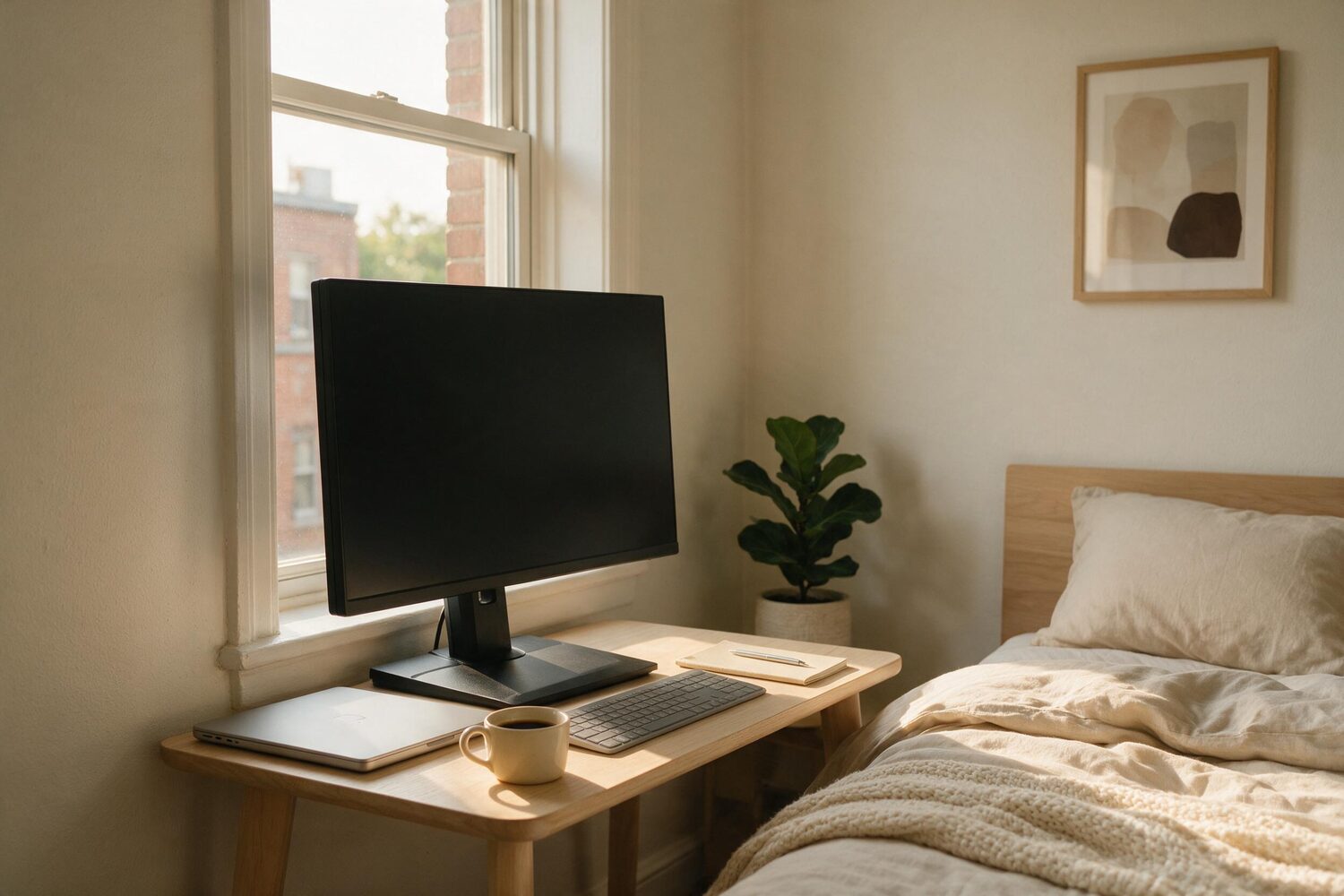
You measured the wall. Forty-two inches between the wardrobe and the window, so you bought a forty-inch desk, and it fits the way you knew it would.
Then you put the monitor on it, and now the keyboard is at the front edge with your wrists hanging off, the mug lives on the windowsill because there is nowhere else, and by four in the afternoon you are leaning back in a way that has started to bother your neck.
The desk is not too small. It is the wrong shape, in the one direction nobody measures before buying.
Who this is for
- You work at a desk in a room that is also something else — a bedroom, a corner of a living room, a landing.
- You have one monitor, or you are about to buy one.
- You were about to solve this by buying a bigger desk.
Who this is not for
- Anyone with a dedicated room and a wall to give it. Your constraint is money, not inches, and this page will not help.
- Dual monitors side by side. Everything here still applies, but the width question comes back and it is a different article.
- Standing desks. The depth arithmetic is the same; the mounting advice is not, because a moving top changes what a clamp is holding on to.
The two numbers on the listing, and which one matters
A desk listing leads with width, because width is what people ask about and what has to clear the wardrobe. Depth is the second number, in smaller type, and it is the one your setup actually runs on.
Depth has to hold three things at once, front to back: the screen, far enough away to look at; the keyboard, far enough forward that your shoulders are not rolled in; and your forearms, resting on something rather than hanging in the air. On a deep desk they take turns. On a shallow one they compete, and the one that wins is the one you cannot move.
OSHA puts a number on the first of the three. Its computer workstation guidance says the preferred viewing distance is between 20 and 40 inches (50 and 100 cm) from the eye to the front surface of the computer screen, and its own quick tip is blunter: Put monitor directly in front of you and at least 20 inches away.
Twenty inches sounds easy on a twenty-four inch desk. It is not, because the monitor does not start at the wall.
Measure four things. It takes five minutes.
Do these before you buy anything, including before you buy a bigger desk. All four are things you already own the answer to.
1. The depth of the desktop, wall to front edge
Not the listing. The desk. If it sits a couple of inches off the wall because of a skirting board or a plug, that gap is not yours and it comes off the total.
2. The footprint of the monitor stand, front to back
Push the tape from the back of the base to the point on the desk directly under the front of the screen. This is the number the listing never gives you, and on a large monitor it is routinely most of a hand span. Subtract it from the first number. What is left is the depth you actually have.
3. Where your eyes sit, relative to the front edge
Sit as you actually sit, with your hands on the keyboard, and have someone measure from the front edge of the desk back to your face. Add that to what was left after the subtraction. That total is your real viewing distance, and it is the number to hold against OSHA’s twenty.
4. The rear edge of the desktop
Its thickness, and whether there is a flat run of it with clear space behind. This is the measurement that decides whether the fix below is available to you at all, and it is the one nobody takes until after the box arrives.
The stand is the problem, and it came in the box
Run the arithmetic and the shape of it is always the same. The desktop is twenty-four inches. The stand takes eight or nine of them and puts the screen face somewhere around fifteen inches from the front edge. Your eyes are eight or so inches back from that edge. You are at twenty-three inches — inside OSHA’s range, technically, and only because the keyboard has been pushed to the very front with nothing under your wrists.
Now do it on a twenty-inch desk, which is what “compact” usually means. You are at nineteen, the keyboard is half off the edge, and you have started leaning back to buy the distance the desk would not give you. That lean is the neck thing at four in the afternoon.
Notice what is not in that arithmetic. Not the size of the screen — a 27-inch panel and a 24-inch panel sit on stands of similar depth. Not the width of the desk, which never appears. The whole problem is a moulded plastic base you did not choose, doing a job a bracket could do in no depth at all.
An arm is a depth accessory that happens to move
Monitor arms are sold on flexibility — swing it, tilt it, share it. That is not why one belongs on a shallow desk. It belongs there because it deletes the base and hangs the screen off the back edge, which gives you back the eight or nine inches the base was standing on, and typically a few more behind the desk line.
On the twenty-four inch desk above, that is the difference between the keyboard at the front edge and the keyboard with a hand’s width of desk in front of it. It costs a fraction of a desk, and it is the only thing on this page that changes all three of the competing numbers at once.
It also fixes height, which is the other half of the OSHA guidance — the top of the monitor should be at or slightly below eye level — and which people currently solve with a stack of books.
And here is where it will not fit
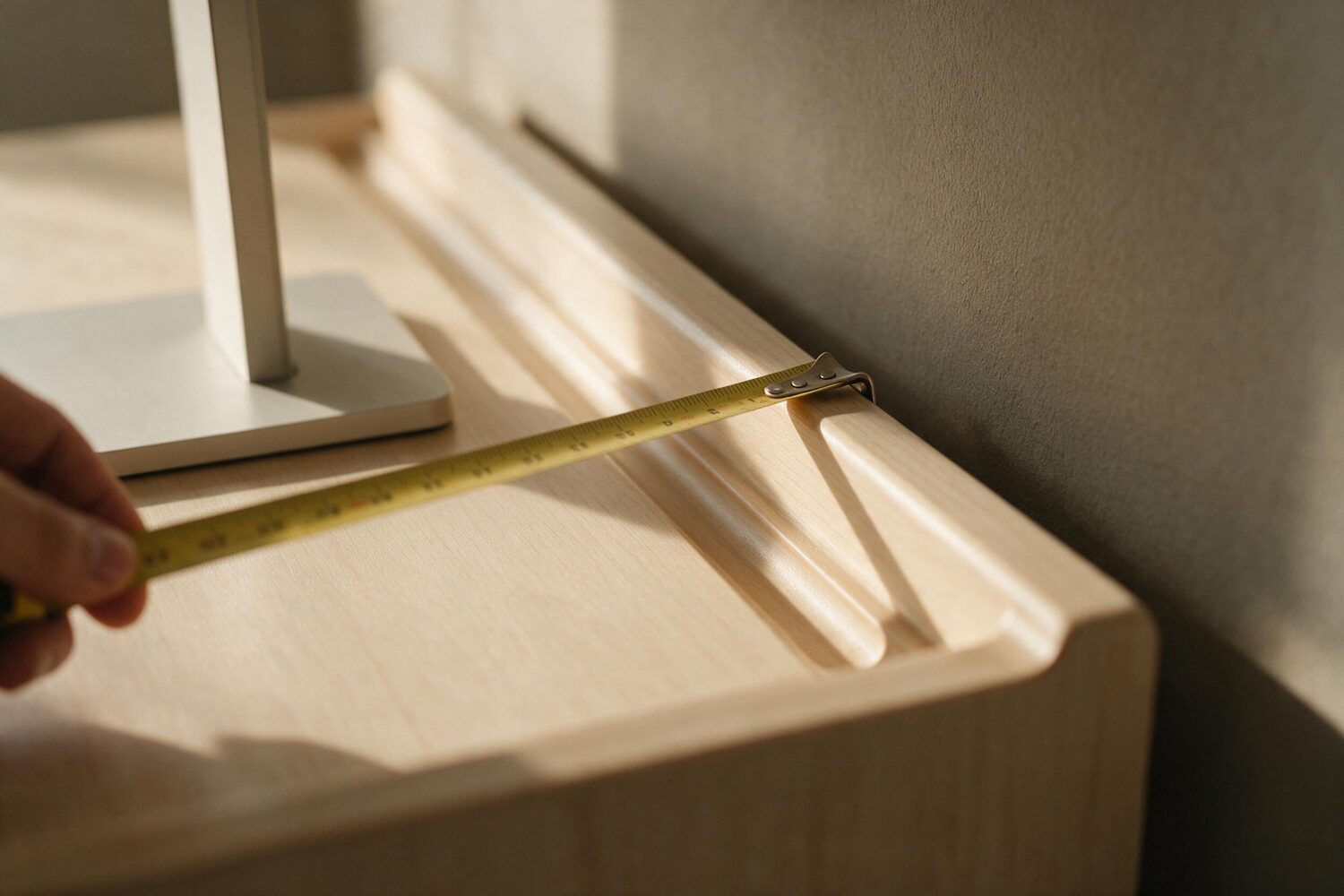
A clamp needs something specific: a flat run of rear edge, within the clamp’s stated thickness range, with clear air underneath and behind. Small-space desks routinely have none of that, and they have none of it for reasons that looked like features in the listing.
- A moulded cable channel or a raised lip along the back edge. There is nothing flat to close on.
- A rounded or bevelled edge, which the clamp will slide off under load.
- A top too thin or too thick for the range printed on the arm. Both ends of that range are real limits.
- A frame rail or apron directly under the rear edge, leaving nowhere for the lower jaw of the clamp.
- A desk pushed flush to the wall. The arm needs the screen to travel backwards; if it cannot, you have bought flexibility and no depth.
The grommet-mount alternative asks for a hole through the desktop, which in a rental bedroom is a decision, not a detail. Check the rear edge before anything else. It is the measurement that decides whether the rest of this page is advice or trivia.
If the arm is genuinely not an option
Then buy depth rather than width the next time you buy anything. A thirty-two inch wide desk that is twenty-eight deep will hold a better setup than a forty-eight inch desk that is twenty deep, and it will cost less and take less wall.
Until then, the free version: pull the desk two inches off the wall and push the monitor to the very back of it. That is two inches you already own, and on a twenty-inch desk two inches is ten per cent of everything you have.
The trade-off nobody mentions
A clamped arm makes the desk one object. You stop sliding it out to vacuum behind, and moving house means unclamping the screen before you can move the desk. On a desk you expect to rearrange every few months, the stand you were about to remove is genuinely the easier life.
And an arm holds the screen out over the desk, which is fine until you put a shelf above it. Measure that too, if there is one.
What it is like when it works
Nothing announces itself. The screen is a little further away and slightly lower. There are four or five inches of empty desk in front of the keyboard, and your wrists rest on the desk instead of on its edge. The mug comes back off the windowsill.
You are not sitting up straight because you decided to. You are sitting up straight because there is no longer anything to lean back from.
Why there are no product links on this page
We belong to no affiliate program, and we have not verified a single arm against a current listing — not its clamp range, not its reach, not its weight limit. An arm that cannot hold your monitor or grip your desk is worse than the stand you already have, and those three numbers are the whole decision. Naming one here without checking them would be the easiest paragraph on this page and the one worth least.
What we checked
- Preferred viewing distance of 20 to 40 inches, and the quick tip of at least 20 inches — Occupational Safety and Health Administration, Computer Workstations eTool: Monitors. Both quoted above verbatim.
- Monitor height at or slightly below eye level — same source, quoted verbatim.
- The depth arithmetic is arithmetic, not a citation. The stand footprint and the eye-to-edge distance are numbers you measure on your own desk; we have shown the subtraction, not asserted the result.
- Not checked: any specific monitor arm, its clamp range, reach or load rating, and the depth of any particular monitor’s stand. Which is why none is named.